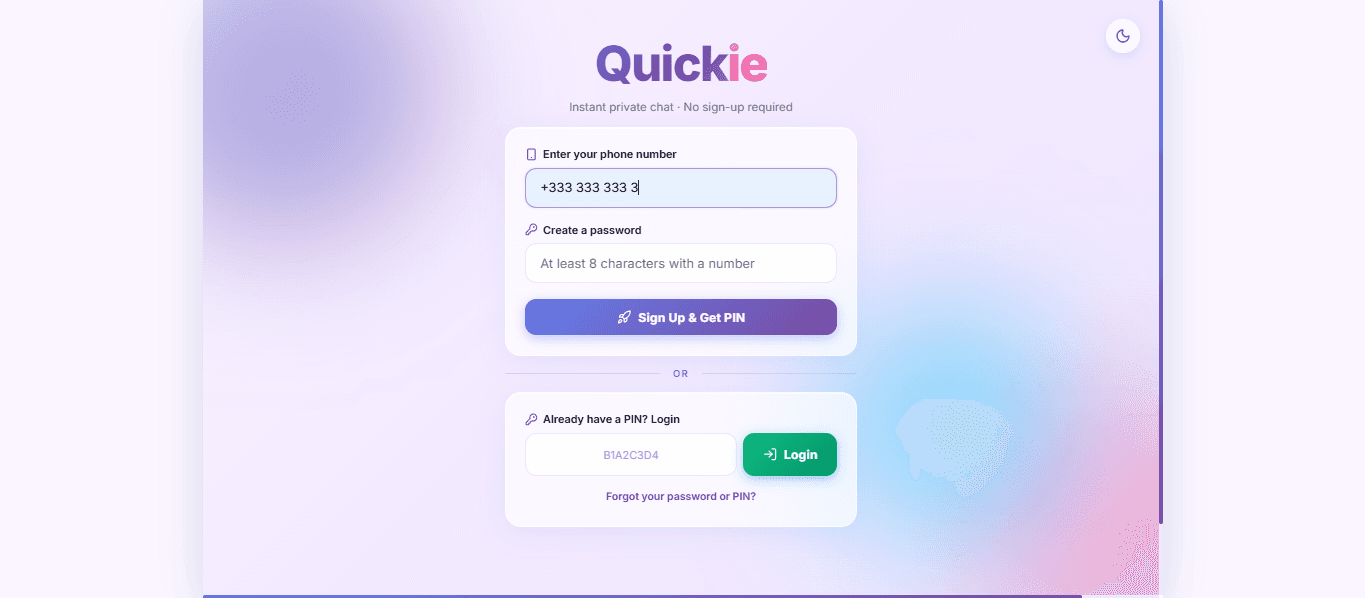
Quickie Chattie
A private, real-time chat PWA with phone+PIN auth, read receipts, voice notes, and Cloudinary media sharing — running entirely on free-tier infrastructure.
Type
Tech stack
Connected services
Documentation
Full
Setup, architecture, and how the pieces fit together.
Maintenance
Occasional
Occasional fixes, but no active roadmap.
Description
Quickie Chattie
A real-time messaging application built to make communication simple, seamless, and reliable.
Quickie Chattie is a web-based chat application powered by Node.js, Express, Socket.IO, and MongoDB. It provides the foundation for real-time communication, connecting users through an interactive messaging experience.
Features
- Real-time communication: Powered by Socket.IO for instant message delivery.
- User authentication: Account and authentication functionality supported by bcryptjs.
- Database integration: MongoDB and Mongoose for data persistence.
- Express backend: Lightweight and efficient server architecture.
- Responsive web experience: Access the application through a web browser.
Technology Stack
| Technology | Purpose |
|---|---|
| Node.js | JavaScript runtime |
| Express 4.22.3 | Backend framework |
| Socket.IO 4.8.4 | Real-time communication |
| MongoDB | Database |
| Mongoose 8.24.11 | MongoDB object modeling |
| bcryptjs 2.4.3 | Password hashing |
Installation and Setup
Prerequisites
Ensure you have the following installed:
- Node.js
- npm (included with Node.js)
- MongoDB, either locally or through MongoDB Atlas
1. Clone the repository
git clone https://github.com/IamSalvation/quickie_chattie.git
2. Navigate into the project
cd quickie_chattie
3. Install dependencies
npm ci
4. Configure environment variables
Configure the environment variables required by the application, including your MongoDB connection string.
Check the project's existing configuration and .env.example, if available, for the exact variable names.
Never commit passwords, database credentials, or other secrets to GitHub.
5. Start the application
npm start
6. Open the application
Visit:
http://localhost:3000
Health Check
The application exposes a health endpoint at:
http://localhost:3000/health
Use this endpoint to check the server's health response.
Security
Quickie Chattie has undergone dependency security remediation.
- Updated Express and Socket.IO.
- Patched vulnerable transitive dependencies.
- Synchronized
package.jsonandpackage-lock.json. - Removed an obsolete duplicate package manifest.
- Verified a clean npm installation.
- Latest verified npm audit: 0 vulnerabilities.
Development
To start the application locally:
npm start
To inspect installed dependencies:
npm ls --depth=0
To run a security audit:
npm audit
Repository
GitHub – IamSalvation/quickie_chattie
Quickie Chattie
Simple communication. Real-time connection.
Related Software
Domains
Seller

Reviews
No reviews yet.